
Printergize1.0 - App Store
You'll be able to see results in few seconds.
Publisher Description
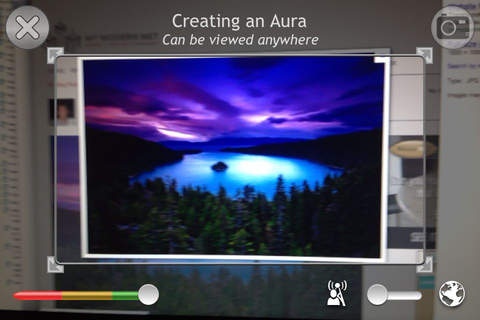
Bringing Print to Life
Printergize is a new and creative way to link traditional print media with your online marketing efforts. Simply launch the Printergize app, scan the target object and watch the content come to life.
Printergize utilizes mobile technologies to interact with consumers in a unique and engaging way.
Augmented Reality
Imagine your message leaping off of a piece of paper and onto your customer s mobile device as fully interactive 3D model, Image or interactive video. Imagine giving users the ability to see far-off destinations by simply pointing their mobile device s camera in a specific direction.
Augmented Reality (AR) is powering the next level of mobile immersion. You can interact with your products and services by imposing "virtual" media objects into their real environment. Augmented Reality (AR) can be used in applications such as:
Interactive Tickets
Business Card Presentations
Real Estate Signs
Packaging
Adding Videos and Presentations to Wide-format Banners
Requires iOS 4.0 or later. Compatible with iPhone 3GS, iPhone 4, iPhone 4s, iPhone 5, iPhone 5c, iPhone 5s, iPhone 6, iPhone 6 Plus, iPhone 6s, iPhone 6s Plus, iPhone SE, iPhone 7, iPhone 7 Plus, iPad 2 Wi-Fi, iPad 2 Wi-Fi + 3G, iPad Wi-Fi (3rd generation), iPad Wi-Fi + Cellular (3rd generation), iPad Wi-Fi (4th generation), iPad Wi-Fi + Cellular (4th generation), iPad mini Wi-Fi, iPad mini Wi-Fi + Cellular, iPad Air, iPad Air Wi-Fi + Cellular, iPad mini 2, iPad mini 2 Wi-Fi + Cellular, iPad Air 2, iPad Air 2 Wi-Fi + Cellular, iPad mini 3, iPad mini 3 Wi-Fi + Cellular, iPad mini 4, iPad mini 4 Wi-Fi + Cellular, 12.9-inch iPad Pro, 12.9-inch iPad Pro Wi-Fi + Cellular, 9.7-inch iPad Pro, 9.7-inch iPad Pro Wi-Fi + Cellular, iPod touch (4th generation), iPod touch (5th generation), and iPod touch (6th generation).
About Printergize
The company that develops Printergize is Ronald Cass. The latest version released by its developer is 1.0.
To install Printergize on your iOS device, just click the green Continue To App button above to start the installation process. The app is listed on our website since 2012-08-11 and was downloaded 0 times. We have already checked if the download link is safe, however for your own protection we recommend that you scan the downloaded app with your antivirus. Your antivirus may detect the Printergize as malware if the download link is broken.
How to install Printergize on your iOS device:
- Click on the Continue To App button on our website. This will redirect you to the App Store.
- Once the Printergize is shown in the iTunes listing of your iOS device, you can start its download and installation. Tap on the GET button to the right of the app to start downloading it.
- If you are not logged-in the iOS appstore app, you'll be prompted for your your Apple ID and/or password.
- After Printergize is downloaded, you'll see an INSTALL button to the right. Tap on it to start the actual installation of the iOS app.
- Once installation is finished you can tap on the OPEN button to start it. Its icon will also be added to your device home screen.
Program Details
System requirements
Download information
Pricing
Version History
version 1.0
posted on 2012-08-11
Disclaimer
Official App Store Link
We do not host Printergize on our servers. We did not scan it for viruses, adware, spyware or other type of malware. This app is hosted by Apple and passed their terms and conditions to be listed there. We recommend caution when installing it.
The App Store link for Printergize is provided to you by apps112.com without any warranties, representations or guarantees of any kind, so access it at your own risk.
If you have questions regarding this particular app contact the publisher directly. For questions about the functionalities of apps112.com contact us.
